2-D semi-auto nonrigid multimodality
image registration
Image Registration and Fusion Systems    
To combine information in two or more images of a scene obtained by different sensors, the images must first be registered. A
number of similarity measures (mutual information, entropy, cross-correlation, and energy) are provided for  determining the
similarity between local neighborhoods in the images, thus establishing correspondence between the images. From the
corresponding points, a surface spline transformation is then determined to register the images.

Image registration steps
Registration is guided by the user. The user first interactively selects a small number of corresponding points in the images.
Typically, 2 or 3 correspondences are sufficient. The user then uses a pull-down menu to transform the geometry of one image to
that of another image using the selected correspondences. The user next directs the system to find a larger number of
correspondences automatically using a pull-down menu. The correspondences found by the system are displayed, giving the
user the chance to remove the inaccurate ones. The correspondences found are then used to register the images more
accurately. If the registration accuracy is found insufficient, the user can direct the system to choose more correspondences and
register the images. This process can be repeated until a satisfactory registration is obtained.

Strengths
The software can register multimodality as well as monomodality images and can register images with linear and nonlinear
geometric differences. The process is monitored and guided by the user, enabling a highly reliable registration.

Limitations
The hardware limitations of the computer limit the capabilities of the software. Texture memory of the video board limits the size of
images displayed and the speed of operations. Size of RAM limits the size of images registered.

Input/Output
The software can read and save images in a variety of file formats, including, jpg, gif, tif, png, pgm, and ppm. The image viewer
enables the user to zoom in and out of an image area or slide an image within the viewing window. Various means of viewing the
registration result are also provided.

Interaction
Interaction with the program will be through a mouse device and a pull-down menu. The mouse enables interaction with the
displayed images, and the pull-down menu enables selection of desired operations.

Speed
Registration of two images typically takes as little as a 30 seconds and as long as 30 minutes, depending on the size and
complexity of the images.

Accuracy
Registration accuracy depends on the number of corresponding points used in the registration and the severity of geometric
difference between the images. Registration accuracy at and near corresponding points is better than registration accuracy away
from the correspondences. Pixel accuracy can be reached by this software when registering satellite images.

Reliability
The user can be assured that the process always correctly registers the images, because the user has the option of removing the
bad correspondences, adding new correspondences, and repeating the process as many times as needed until the desired
registration accuracy is achieved. The program finds the correspondences and uses them in the registration automatically. The
user selects the initial few correspondences with the mouse and chooses the registration operations through the pull-down menu.

Examples
Examples of image registration by this software are provided below.
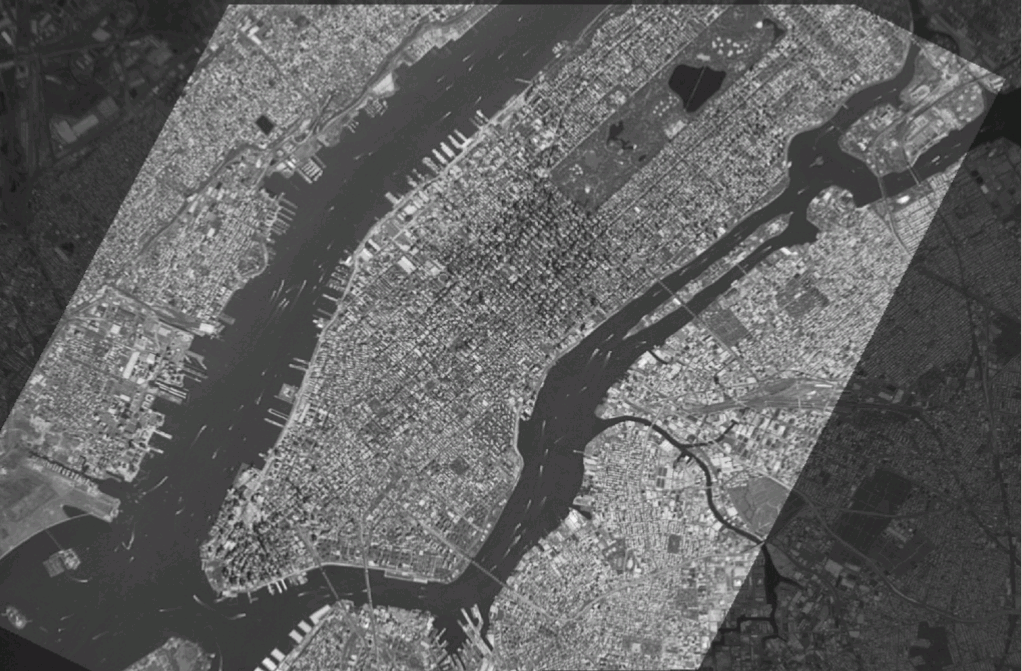
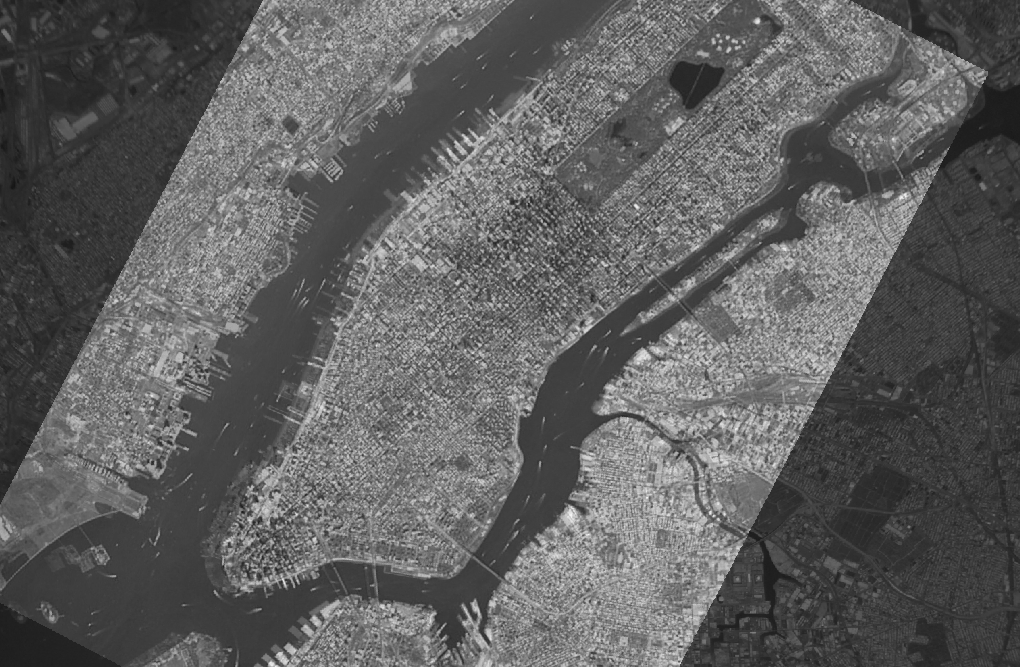
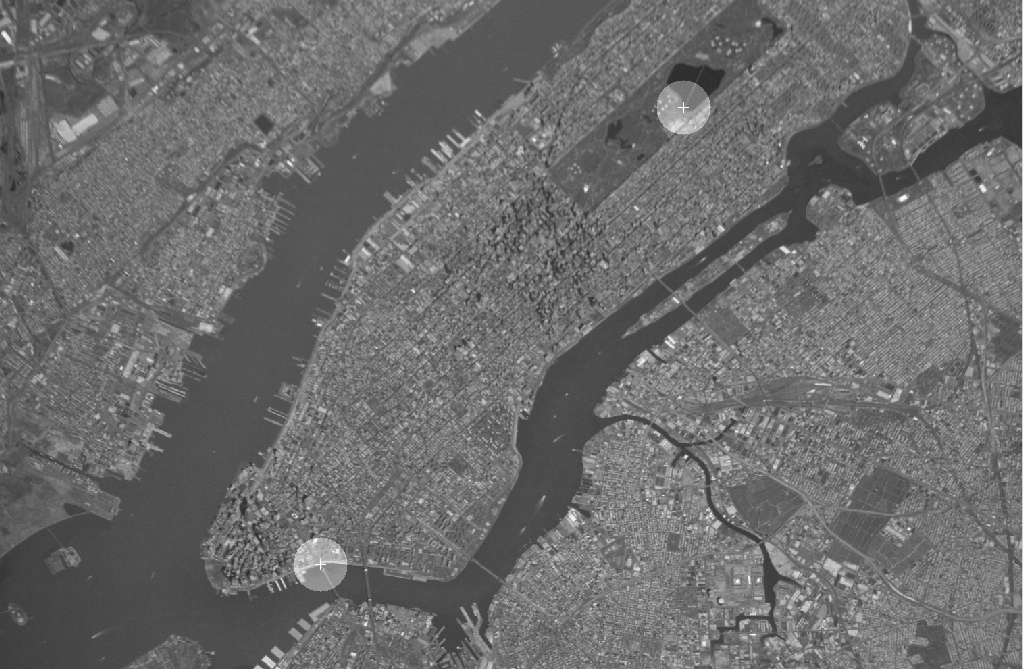
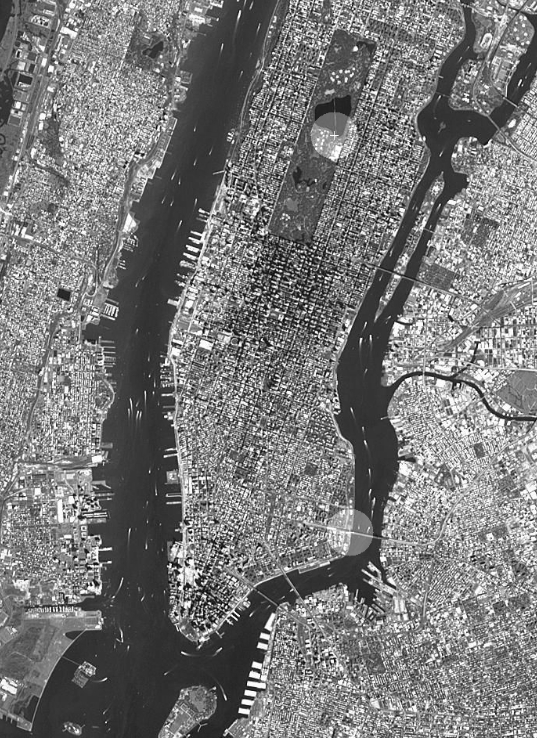
Fig. 1. (Top row) Images showing ISS and ASTER images of the New York City. Two corresponding control points were
interactively selected as shown by the circular regions. The centers of corresponding circles correspond to each other. The circular
regions are used as templates to refine the correspondences automatically. (Bottom left) Image showing registration using these
two correspondences. (Bottom right) Result when additional correspondences are automatically determined and used to register
the images.
To obtain a license for this software, please follow the link =>
Fig. 2. Registration of radar and ISS images. The original IS, radar, and ASTER images are courtesy of NASA.