| Interactive nonrigid registration |
| Image Registration and Fusion Systems |

|

|
With interactive registration, the user can evaluate the registration accuracy and refine the result, if necessary. Landmark selection and
correspondence are assisted by the user. For instance, the user selects corresponding landmarks in the images with the mouse and
asks the computer to refine the correspondences via template matching. The user then reviews the refined correspondences, and
removes the inaccurate ones. After finding a transformation function from the correspondences and superimposing the images, if the
registration is found not sufficiently accurate, further landmarks can be selected and the process can be repeated until desired
registration accuracy is reached. Normally, sufficient accuracy can be achieved within a few iterations.
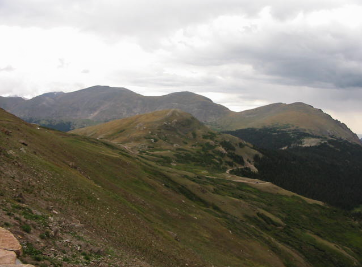
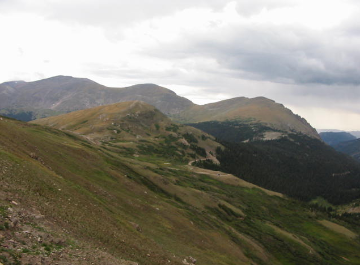
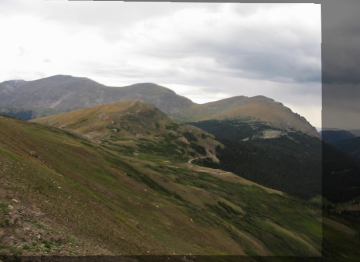
An example of interactive image registration is given below. The top row depicts two images of a terrain scene taken from different
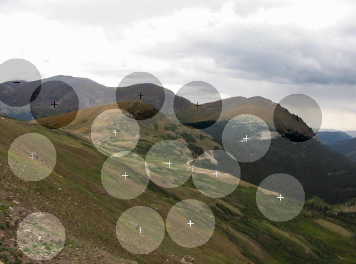
views. Initially, the user selects a few approximate corresponding landmarks in the images with the mouse and refines their positions
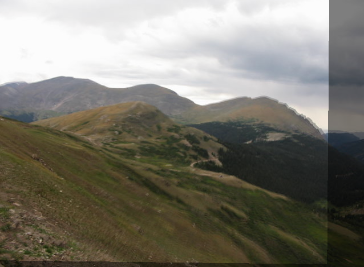
automatically (second row). Initial registration of the images is shown in the third row. The user further selects approximate
corresponding landmarks in areas that are believed not to be registering well and automatically refines the correspondences and
registers the images (fourth row). The process can be repeated as needed until desired accuracy in registration is reached. (bottom
row).
correspondence are assisted by the user. For instance, the user selects corresponding landmarks in the images with the mouse and
asks the computer to refine the correspondences via template matching. The user then reviews the refined correspondences, and
removes the inaccurate ones. After finding a transformation function from the correspondences and superimposing the images, if the
registration is found not sufficiently accurate, further landmarks can be selected and the process can be repeated until desired
registration accuracy is reached. Normally, sufficient accuracy can be achieved within a few iterations.
An example of interactive image registration is given below. The top row depicts two images of a terrain scene taken from different
views. Initially, the user selects a few approximate corresponding landmarks in the images with the mouse and refines their positions
automatically (second row). Initial registration of the images is shown in the third row. The user further selects approximate
corresponding landmarks in areas that are believed not to be registering well and automatically refines the correspondences and
registers the images (fourth row). The process can be repeated as needed until desired accuracy in registration is reached. (bottom
row).



To obtain a license for this image registration
software, follow this link =>
software, follow this link =>


