It is sometimes impossible to obtain a single image of a scene where all areas are well-exposed. Some scene
areas may appear under-exposed or over-exposed in a single shot. Each local area in a scene may require a
different shutter speed to best capture its details. A multi-exposure image fusion software developed by Image
Registration and Fusion Systems combines two or more images of a scene captured at different shutter speeds
into a single image where all scene areas appear well exposed. An example run of this software is given below.
| (a) |
| (b) |
| (c) |
| (d) |
| (e) |
| (f) |
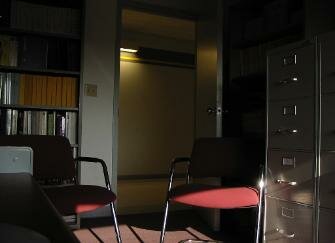
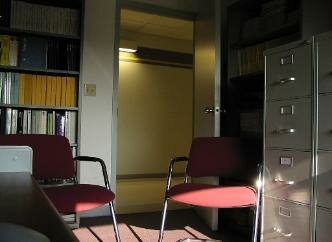
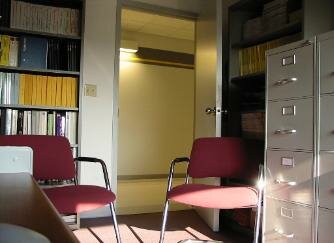
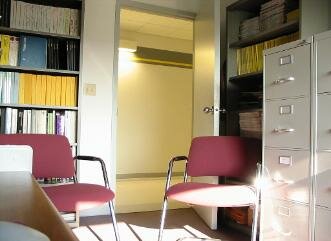
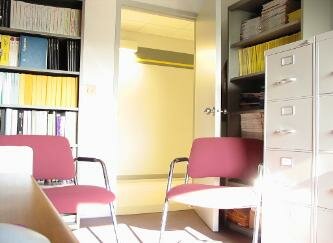
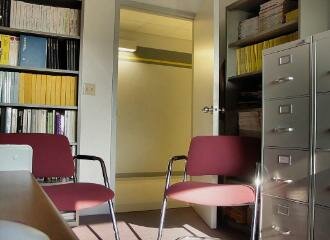
(a) - (e) Five images of an office scene obtained at different exposure levels. (f) The image obtained by fusing the five images.
About 5 seconds processing time is needed to fuse these images on a Windows PC with a 2.2 GHz processor. If an area is
under- or over-exposed in all images, that area will appear under- or over-exposed in the fused image.
About 5 seconds processing time is needed to fuse these images on a Windows PC with a 2.2 GHz processor. If an area is
under- or over-exposed in all images, that area will appear under- or over-exposed in the fused image.
To purchase a license for this image fusion
software, follow this link =>
software, follow this link =>

|

|
| Multi-exposure image fusion |
| Image Registration and Fusion Systems |



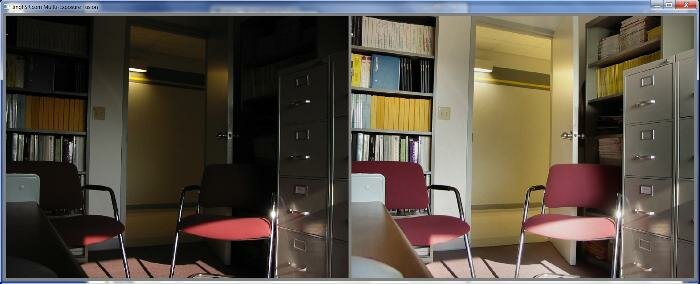
The interface to the software is shown below. After selecting the input images by a file selection menu, the
software fuses the images and shows it side-by-side with the original images. The fused image is shown on
the right, while one of the input images is shown on the left. The user can view the input images interactively
and compare each with the fused image. The fused image can be saved in jpg or other popular formats.
software fuses the images and shows it side-by-side with the original images. The fused image is shown on
the right, while one of the input images is shown on the left. The user can view the input images interactively
and compare each with the fused image. The fused image can be saved in jpg or other popular formats.

For questions or additional information, please contact: