| (a) |
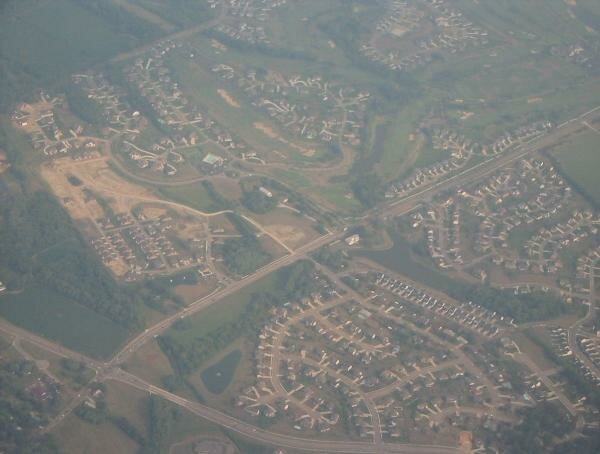
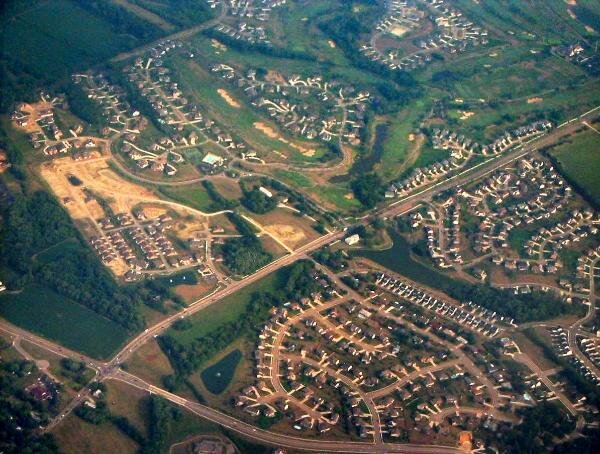
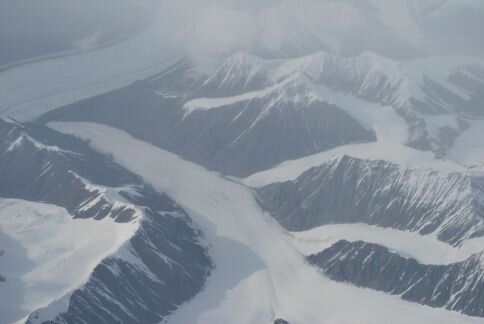
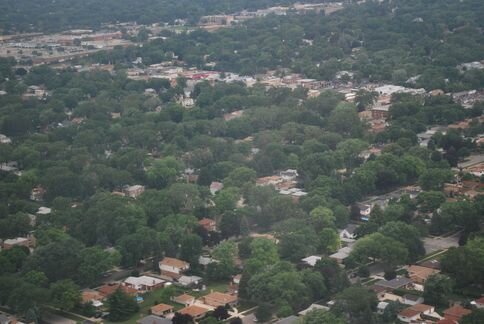
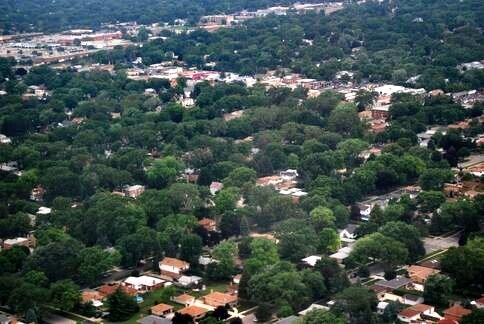
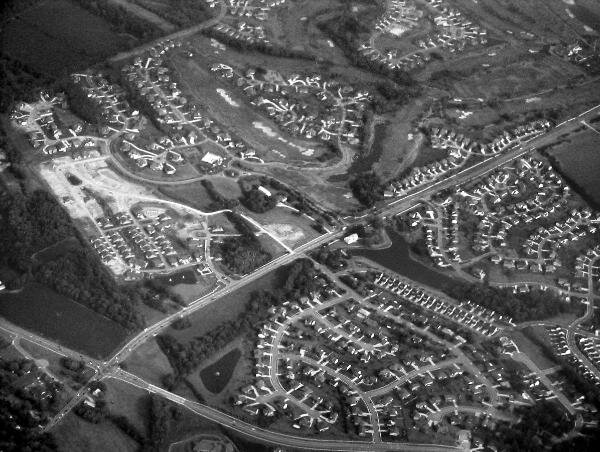
| Fig. 1. (a) A hazy aerial image. (b) The aerial image after automatic haze removal. |
| (a) |
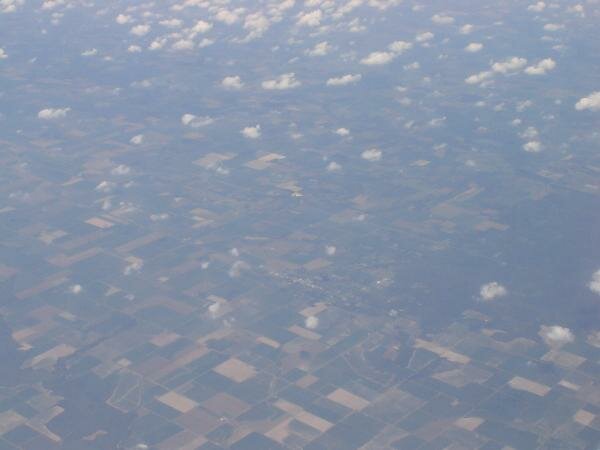
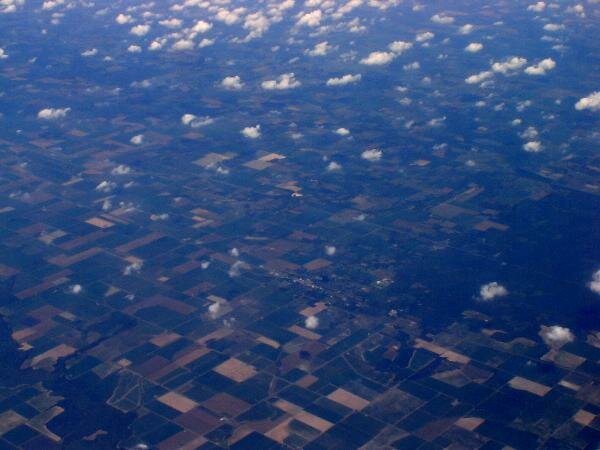
| Fig. 2. (a) Another hazy aerial image. (b) The aerial image after haze removal. |

|

|
| Haze remover |
| Image Registration and Fusion Systems |
| (b) |
| (b) |
Aerial and satellite images often contain haze. The presence of haze reduces image contrast and makes
visual examination of images difficult. As a preprocessing operation to image registration and image
fusion, there is a need to remove haze from images and increase image contrast. A software developed by
Image Registration and Fusion Systems removes most haze from an image. Haze can be removed
automatically or interactively. Interactive haze removal is achieved with the motion of the mouse
interactively. Automatic haze removal is achieved without user interaction. An example of automatic haze
removal by this software is given in Fig. 1. Fig. 1a is the original hazy image and Fig. 1b is the image after
automatic haze removal. Details previously not visible in the hazy image are now visible in the enhanced
image. Additional examples of haze removal by this software are given in Figs. 2 - 4.
visual examination of images difficult. As a preprocessing operation to image registration and image
fusion, there is a need to remove haze from images and increase image contrast. A software developed by
Image Registration and Fusion Systems removes most haze from an image. Haze can be removed
automatically or interactively. Interactive haze removal is achieved with the motion of the mouse
interactively. Automatic haze removal is achieved without user interaction. An example of automatic haze
removal by this software is given in Fig. 1. Fig. 1a is the original hazy image and Fig. 1b is the image after
automatic haze removal. Details previously not visible in the hazy image are now visible in the enhanced
image. Additional examples of haze removal by this software are given in Figs. 2 - 4.
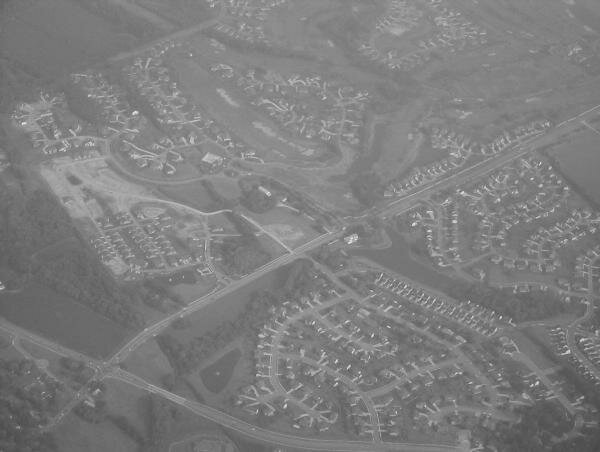
Fig. 3. Additional examples of automatic haze removal by this software are shown. Both gray-scale (8
bits/pixel) and color (24 bits/pixel) images can be used with this software.
bits/pixel) and color (24 bits/pixel) images can be used with this software.


To purchase a single-user license for this
haze-removal software, follow this link =>
haze-removal software, follow this link =>

The Haze Removal software reads in a hazy image and displays it in two windows side by side. The left
window always shows the original hazy image and the right window shows the haze removed image.
Side-by-side viewing enables comparison of images before and after haze removal. A snapshot of the image
viewer for this software is shown below. For very large images, the images are scaled down to fit the screen.
However, the user may pan and zoom the image to view local details. This is demonstrated below. The pan
and zoom operations of the two windows are synchronized to facilitate viewing of the same scene areas
before and after haze removal.
window always shows the original hazy image and the right window shows the haze removed image.
Side-by-side viewing enables comparison of images before and after haze removal. A snapshot of the image
viewer for this software is shown below. For very large images, the images are scaled down to fit the screen.
However, the user may pan and zoom the image to view local details. This is demonstrated below. The pan
and zoom operations of the two windows are synchronized to facilitate viewing of the same scene areas
before and after haze removal.
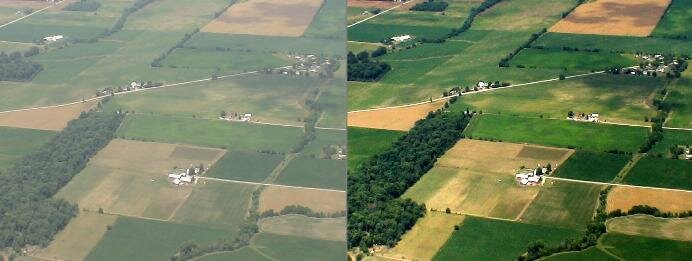
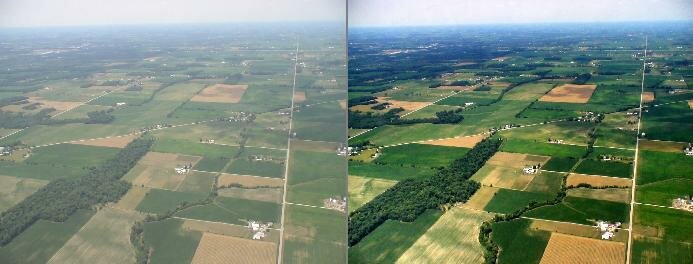
| Fig. 5. Actual operation of the software in a side-by-side viewer. (top) Global viewing. (bottom) Local viewing. |


Fig. 4. If haze removal is applied to a medical image, it will bring out details that are hidden in low-contrast
areas as shown in the above chest X-ray. This X-ray is courtesy of MedPix.
areas as shown in the above chest X-ray. This X-ray is courtesy of MedPix.

For questions or additional information, please contact: